Drill for Eggs Controls
Movement, training, and interact keys for every platform in Drill for Eggs.
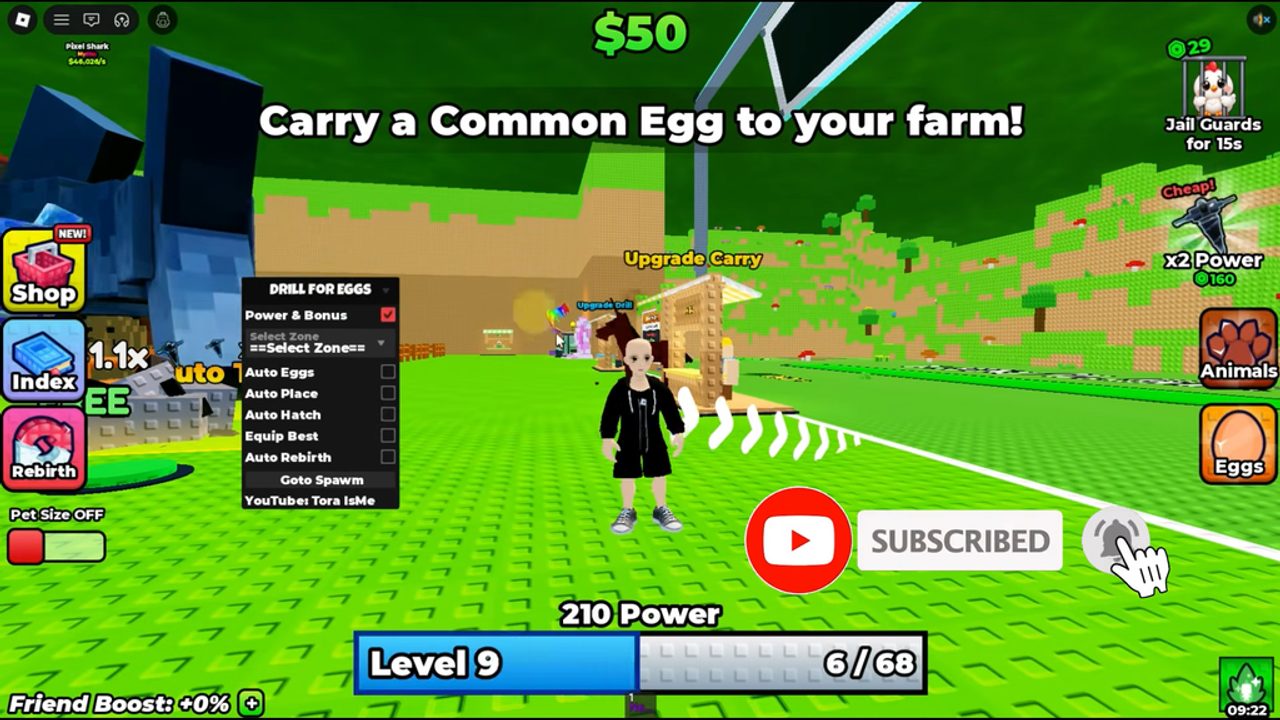
Knowing the controls in Drill for Eggs keeps the loop smooth: train Power, buy drills, steal eggs, spend Speed, and place eggs without fumbling menus mid-chase. This page lists the confirmed PC defaults and practical notes for mobile and console. For what to do with those inputs, use Getting Started, Training Power, and How to Steal Eggs.
PC controls (confirmed)
| Action | Input |
|---|---|
| Move | WASD |
| Jump | Space |
| Train Power | LMB (left mouse button) |
| Interact | E |
These four cover almost every early-game action. Move to the auto-train zone or click LMB to raise Power. Press E at the Drill Shop, egg pickups, placement spots, and other interactables. Space clears small gaps while you path back to base with an egg.
PC tips during steals
- Bind your attention to WASD + Speed once the guardian spawns — do not open the shop mid-chase.
- Use E only when you are sure you are on the egg or placement prompt; mis-taps waste seconds.
- LMB training belongs at base or in safe zones, not while a guardian is locked on.
If your mouse feel is off, check Roblox camera sensitivity in the Roblox menu. Drill for Eggs still uses the same WASD / Space / LMB / E map listed above.
Training inputs versus movement
Training and movement share your hands. On PC, many players strafe with WASD inside the auto-train zone so they stay inside the volume while glancing at Cash. Others stand still in auto-train and only use LMB for burst sessions. Both are valid; see Training Power for when to prefer each.
Speed purchases use the green buttons near the base — walk up and interact rather than hunting a hidden key. Restock Speed before you leave for a steal so you are not solving the shop UI while a guardian runs you down.
Mobile controls
On phones and tablets, Roblox shows on-screen sticks and buttons:
- Virtual joystick — movement (same role as WASD).
- Jump button — same role as Space.
- Tap / hold — train Power where the game accepts touch training (equivalent intent to LMB).
- Interact button — same role as E for shops, eggs, and placement.
Mobile steals are harder because the joystick and camera fight for thumb space. Practical advice:
- Zoom the camera out slightly before entering a guarded zone.
- Buy Speed at base with a clean UI, not mid-run.
- Prefer the auto-train zone over frantic tapping when you need steady Power.
- Place the egg immediately at base before checking Index or shops.
If touch controls feel cramped, a clip-on controller can map closer to the PC layout, but the on-screen buttons are enough for the full loop.
Console controls
On console, Roblox maps actions to the gamepad:
- Left stick — move.
- Face / shoulder jump — jump (platform default).
- Attack / primary action — train Power where clicking would apply on PC.
- Interact — context button for shops, eggs, and placement (same job as E).
Exact face-button labels can vary with Roblox’s console skin, but the roles match PC: move, jump, train, interact. Learn which face button is Interact in your first minute at the Drill Shop, then keep that muscle memory for egg pickup and placement.
Console players should still use the green Speed buttons at base before hard steals. Menu navigation is slower on gamepad — finish shop buys before you commit to a zone.
UI destinations tied to controls
- Auto-train zone — stand here; no special key beyond movement.
- Drill Shop — walk up, E / Interact, buy drills when Cash allows (notifier can alert you).
- Green Speed buttons — walk up, Interact, restock Speed.
- Egg placement — return to base, Interact to start gestation.
- Index — open after new hatches for first-time unlock rewards.
None of these require custom keybinds for normal play. If a patch adds new hotkeys, they will be noted on Updates.
Controls checklist for new players
- Confirm WASD, Space, LMB, and E on PC (or mobile/console equivalents).
- Walk into the auto-train zone and watch Power rise.
- E into the Drill Shop and learn the buy flow.
- Interact with green Speed buttons before a practice steal.
- Complete one steal using movement + Interact only — save LMB training for base.
- Place the egg, then open Index if the pet is new.
Related guides
- Guides Hub — full list of tutorials.
- Rebirth — Power reset and the first 1.5x Cash multiplier.
- Tier List — upgrade priorities once controls are second nature.
- Codes — no known codes yet; redeem there when drops appear.
- Scripts — third-party automation (not required; read safety notes).
- Players — creator and community links.
- Updates — patch notes that may touch UI or binds.
Master the four PC inputs — WASD, Space, LMB, E — and the rest of Drill for Eggs is routing, economy, and timing. Everything else on this wiki assumes you can move, jump, train, and interact without thinking.
Frequently Asked Questions
Quick answers to the most common questions.
What are the PC controls for Drill for Eggs?
WASD to move, Space to jump, LMB to train Power, and E to interact with shops, eggs, and placement.
How do I train on mobile?
Use the on-screen stick to stay in the auto-train zone, or tap/hold where touch training applies. Jump and Interact use the on-screen buttons.
Where is the Speed button?
Speed is bought from the green buttons near your base. Walk up and use Interact (E on PC); it is not a separate keyboard hotkey.
Do console players get different actions?
No. Console uses stick movement, jump, a train/primary action, and Interact — the same four roles as PC with gamepad mapping.
Can I rebind keys inside Drill for Eggs?
Use Roblox’s own settings for camera and platform options. Normal play only needs move, jump, train, and interact.